How to Join Remnant OverPoch
Step 1
Step 2
 Step 3
 Step 4
 Step 5
Download the DZSA Launcher at: dayzsalauncher.com
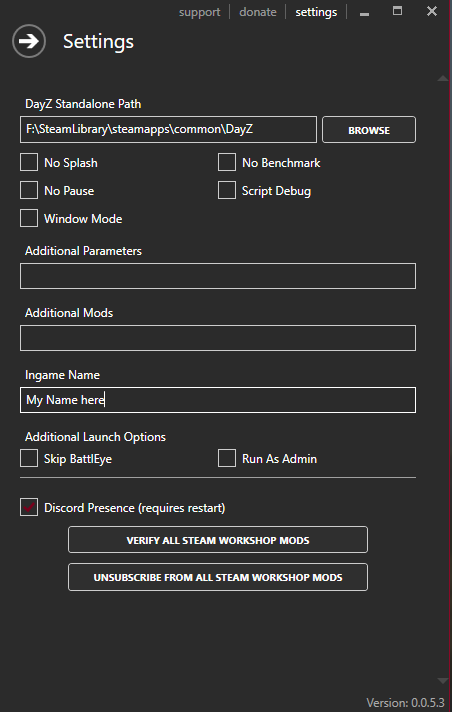
Install and open the launcher, and press "Settings" (Right Top)
Select your DayZ Standalone Path (Where your game is installed)
And type in the name you want to use in-game:
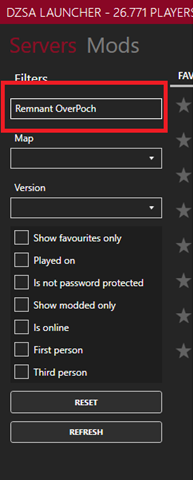
Type "Remnant OverPoch" in Filters to the left:
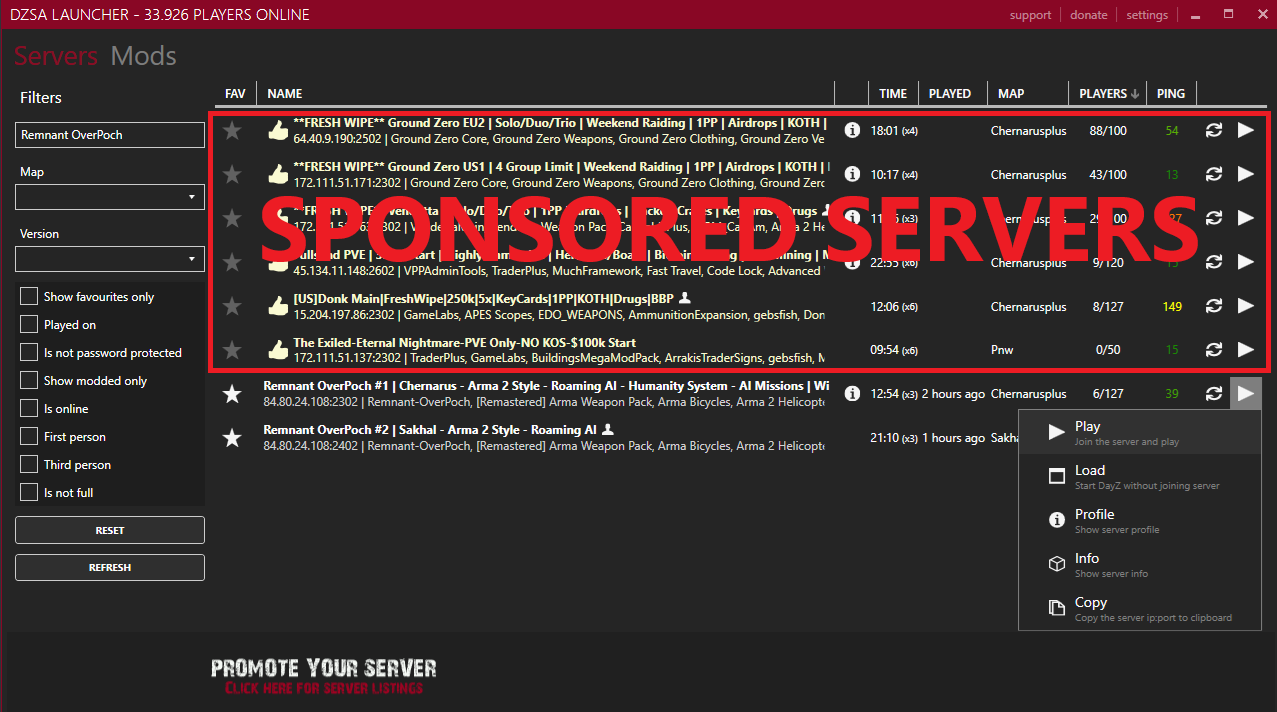
Click the play button on the server that is white (The golden coloured are sponsored servers).
Then press "Load" instead of "Play". If you are playing for the first time DZSA will download the required mods automatically.
If you press "Load" again your game will start!
You are now in the Main Menu.
Press Character and select a Character you want to play as.
Now click "APPLY".